StaxFall: Physics Stacking Puzzle
Developer: Next Gen Studios
Published: 2025-07-16
Updated: 2026-07-03
Puzzle Block Arcade

StaxFall: Physics Stacking Puzzle

Reviews

StaxFall is a well-crafted physics stacking game that rewards careful planning. The realistic block physics make each placement meaningful, and the increasing speed keeps the challenge fresh. It is perfect for short play sessions or longer attempts to beat your high score. The simple controls and clear feedback make it accessible to all ages.

About this game

Game Introduction

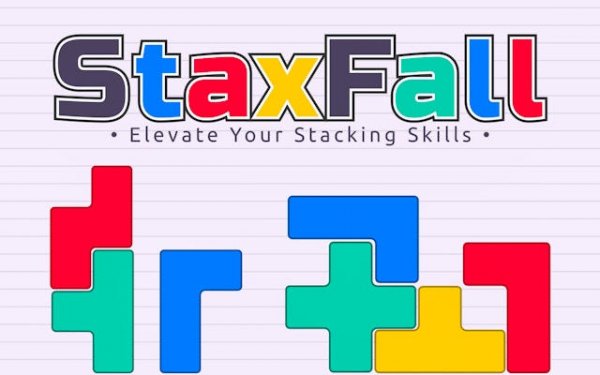
StaxFall is a physics-based puzzle game that combines classic block-stacking mechanics with realistic gravity and momentum. Players build a tower by placing Tetris-like pieces onto a growing structure. The core objective is to stack as high as possible without causing the tower to topple. What makes StaxFall unique is its emphasis on physical balance—each block responds to weight distribution, so careful placement is essential. This game offers an endless challenge where every session tests your spatial reasoning and steady hand.

How to Play

In StaxFall, players typically control descending blocks using keyboard or mouse inputs. You can rotate each piece to find the best orientation before placing it on top of your tower. The goal is to drop each block precisely so that it rests evenly, maintaining the structure's stability. As the tower grows taller, pieces fall faster, requiring quicker decisions. Players must adapt their strategy to compensate for any wobbles or shifts caused by previous placements. Each game is a fresh test of timing and precision.

Game Features

StaxFall includes physics-based stacking where every move affects the tower's balance. It features Tetris-inspired pieces that offer familiar yet varied shapes. Strategic placement is key to managing the center of gravity, and the game provides an addictive progression with increasing speed over time. The endless challenge mode lets players compete against their own high scores, offering replayability. The combination of puzzle-solving and physical simulation creates a unique gameplay experience.

Tips for Success

To excel in StaxFall, practice aligning blocks centrally to maintain a stable base. Avoid placing pieces with large overhangs, as they can cause the tower to wobble. Learn to rotate blocks quickly to fit tight spots. As speed increases, stay calm and focus on one piece at a time. Regularly review your tower's shape to anticipate weak points. With patience and practice, you can achieve higher scores and longer play sessions.

Compatibility

This H5 game runs smoothly on:
• Desktop computers (Windows / Mac) • Mobile phones (iPhone / Android)
• Tablets (iPad / Android)
🌐 Best experienced with Chrome, Safari, or Edge
PLAY NOW
Advertisement

Faq

Is StaxFall available on mobile devices?
StaxFall is primarily designed for desktop browsers, but some versions may be accessible on tablets with touch controls. Check the platform's store or website for specific device compatibility.
Does StaxFall have any in-game purchases?
StaxFall is a free-to-play game with no required purchases. Some versions may offer optional cosmetic items or power-ups, but these are not necessary to enjoy the full gameplay experience.
Can I save my progress in StaxFall?
StaxFall typically saves your high scores automatically in your browser's local storage. This means your best results are preserved between sessions, but the game does not have a traditional save feature for ongoing games.
Is StaxFall suitable for children?
Yes, StaxFall is family-friendly and suitable for players of all ages. The game involves no violence or mature content, focusing instead on spatial reasoning and gentle competition against your own scores.
Are there different difficulty levels in StaxFall?
StaxFall uses a single endless mode where difficulty increases gradually as the tower grows. The game does not have selectable difficulty levels, but the pace naturally becomes more challenging over time.
Does StaxFall require an internet connection to play?
StaxFall can be played offline once loaded in your browser. However, some features like leaderboards or updates may require an internet connection. Check the game's settings for offline availability.

Comments

0 comments
U
User
Loading comments...