
Reviews
Description
Core Merging Mechanics
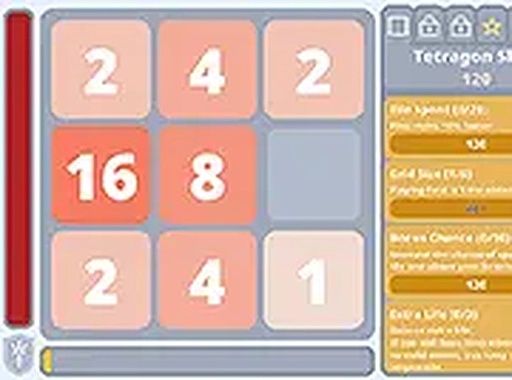
At its heart, Tile Combo Builder revolves around a simple but satisfying loop. You start with a compact 2x2 grid filled with tiles marked with the number 1. Your main action each turn is to click on matching tiles to merge them into a single tile with a higher number. This core action is easy to learn but requires thoughtful planning to maximize your chain of merges.
Building the Combo Meter
Each successful merge adds to a combo meter located on the screen. The longer your streak of consecutive merges, the more this meter fills. When the meter reaches certain thresholds, it grants bonuses that can help you progress faster. This system encourages you to think several moves ahead, arranging tiles so that you can keep the chain going turn after turn.
Grid Expansion and Tile Upgrades
As you accumulate higher numbers and earn bonuses, you gain the ability to expand your playing field. The grid can be enlarged, giving you more space to arrange tiles and plan larger merges. You can also upgrade the base tiles themselves, which increases the starting potential for each new game session. These upgrades are permanent and make each run more rewarding.
Earning Achievements and Discounts
Throughout your play, you will complete specific challenges that unlock achievements. Each achievement provides a discount on items available in the in-game shop. These discounts stack, making it easier to purchase grid expansions and tile upgrades over time. The achievement system gives you clear short-term goals while you work toward larger numbers.
Automatic Save and Data Management
The game automatically records your progress every minute, so you never lose your current state. If you close the browser and return later, you can pick up exactly where you left off. For added convenience, the settings menu includes a text box where you can copy, paste, or share your save data. This allows you to back up your progress or transfer it to another device.
Desktop-Optimized Experience
Tile Combo Builder is designed specifically for desktop computers. It responds to both keyboard and mouse inputs, and you can switch to full-screen mode for a more focused view. The interface is clean and uncluttered, putting the tile grid front and center. This makes it easy to concentrate on your merging strategy without distractions.










Player Comments
Sign in to comment
You must be logged in before posting a review or rating.
No account? Create one
No comments yet. Be the first to comment!